Epistles, on your wrist
Triage the inbox, dictate a reply, accept a meeting. Phone stays in the pocket. Native apps for Apple Watch, Samsung Galaxy Watch, and Google Pixel Watch, with the same feature set on every wrist.
watchOS 10 · Wear OS 3
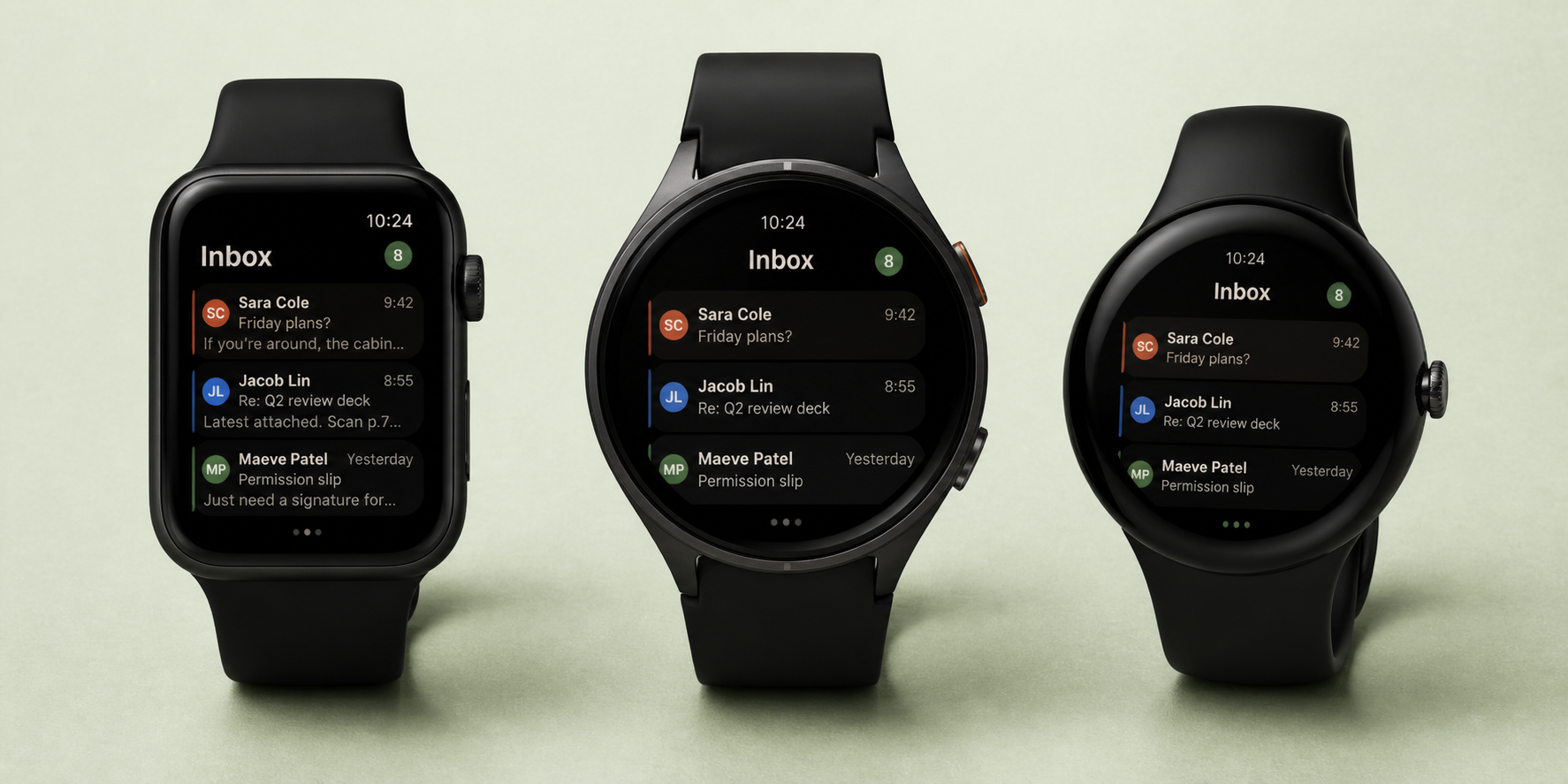
Built for the small screen, not shrunk down to fit it
We didn’t port the phone UI and call it a day. The watch app is its own design, focused on the four things you do on a wrist: clear noise, answer fast, see what’s next, and judge whether something is worth pulling the phone out for.
01 · Triage
Clear the inbox without unlocking your phone
Swipe a row to archive on Apple Watch. Long-press on Wear OS (no swipe primitive there). Each action is optimistic locally and queued back to your phone, which routes it through the same store the desktop and mobile clients use. State stays coherent everywhere.
- Archive, snooze with picker, delete, mark as done
- Pin a message from any view
- Per-account accent stripe so you know which inbox you’re in
02 · Reply
Answer without typing
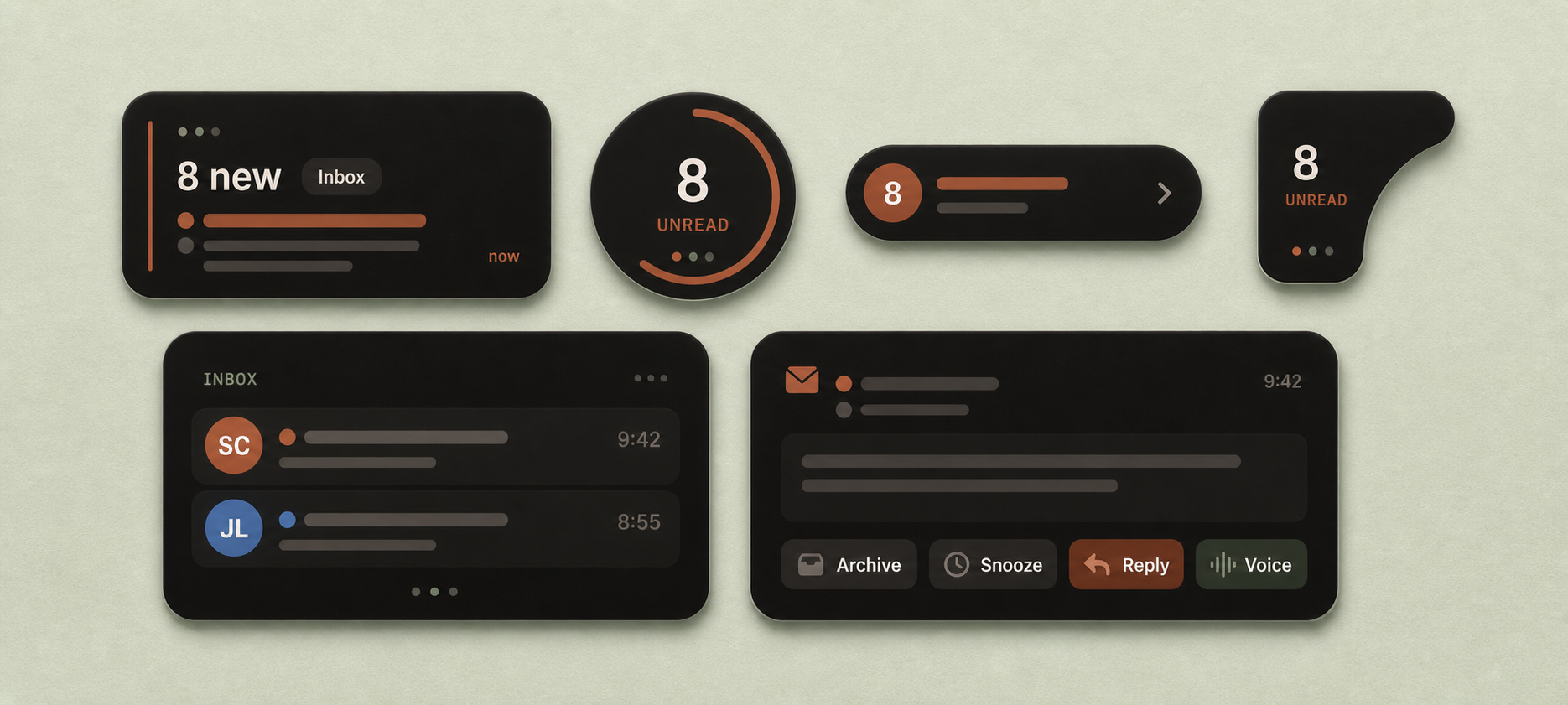
Voice dictation, on-device. A row of canned templates you edit from the phone (“On my way,” “Got it, thanks,” “Let me get back to you”). And the one no other watch client ships: Reply & Done. One tap that sends the reply and archives the thread in the same gesture.
- Voice dictation in any system language
- Templates edited on the phone, synced down
- Forward to a recent contact in two taps
03 · Agenda
RSVP without picking up the phone
Your next event, who’s on it, where it is, whether you’ve responded. Tap Accept, Maybe, or Decline. The reply goes through your account the same way the desktop sends one, full RFC 5546 iTIP, no shortcuts.
- Next event plus the one after it, glance-sized
- Accept / Maybe / Decline on Fastmail, Gmail, and Microsoft
- Honors the default calendar you set for that account
04 · Always present
Complications, tiles, and a banner that does work
Pin Epistles to your watch face. The complication shows your unread count and the most recent sender; tap to open the inbox. On Wear OS, the same data renders as a tile. Notifications are interactive: archive, snooze, and Reply & Done sit on the banner.
- WidgetKit complications: rectangular, circular, inline, corner
- Wear OS Tiles API for the same data
- Smart Stack placement on Apple Watch
Watch support by email client
Two device families matter: Apple Watch and Wear OS, and Wear OS in practice means Galaxy Watch and Pixel Watch. Most email clients picked one camp, or skipped the wrist altogether. Here’s the map.
| Client | Apple Watch | Galaxy Watch | Pixel Watch |
|---|---|---|---|
| Epistles | Yes | Yes | Yes |
| Outlook | Yes | Yes | Yes |
| Spark | Yes | No | No |
| Mimestream | No | No | No |
| Mailbird | No | No | No |
| Thunderbird | No | No | No |
| Canary | No | No | No |
| Superhuman | No | No | No |
Outlook is the other client that ships on both ecosystems, and it’s a fine pick if Microsoft is your only inbox. What it can’t do is treat Gmail, Fastmail, and iCloud as first-class peers on the same wrist. Epistles does.
On your wrist. On every device.
The watch apps ship with the rest of Epistles — out now on Apple Watch and Wear OS.